Every enquiry.
Handled, together.
A shared inbox for email, WhatsApp and website chat.
Claim enquiries, share the work and reply with your team.
Gather the conversation
Connected email & website chat
Make ownership clear
Claim, assign & hand over
Give your team a head start
AI drafts & website assistance
Keep the work moving
Enquiry through to handled
01The Booking Pool
One pool.
No crossed wires.
A good customer experience starts with a team that knows what’s happening. See the request, the conversation and the person responsible—together.
How claiming & assignment workSee what’s waiting
Bring classified email enquiries and website chats into one place, ready for your team.
Give it an owner
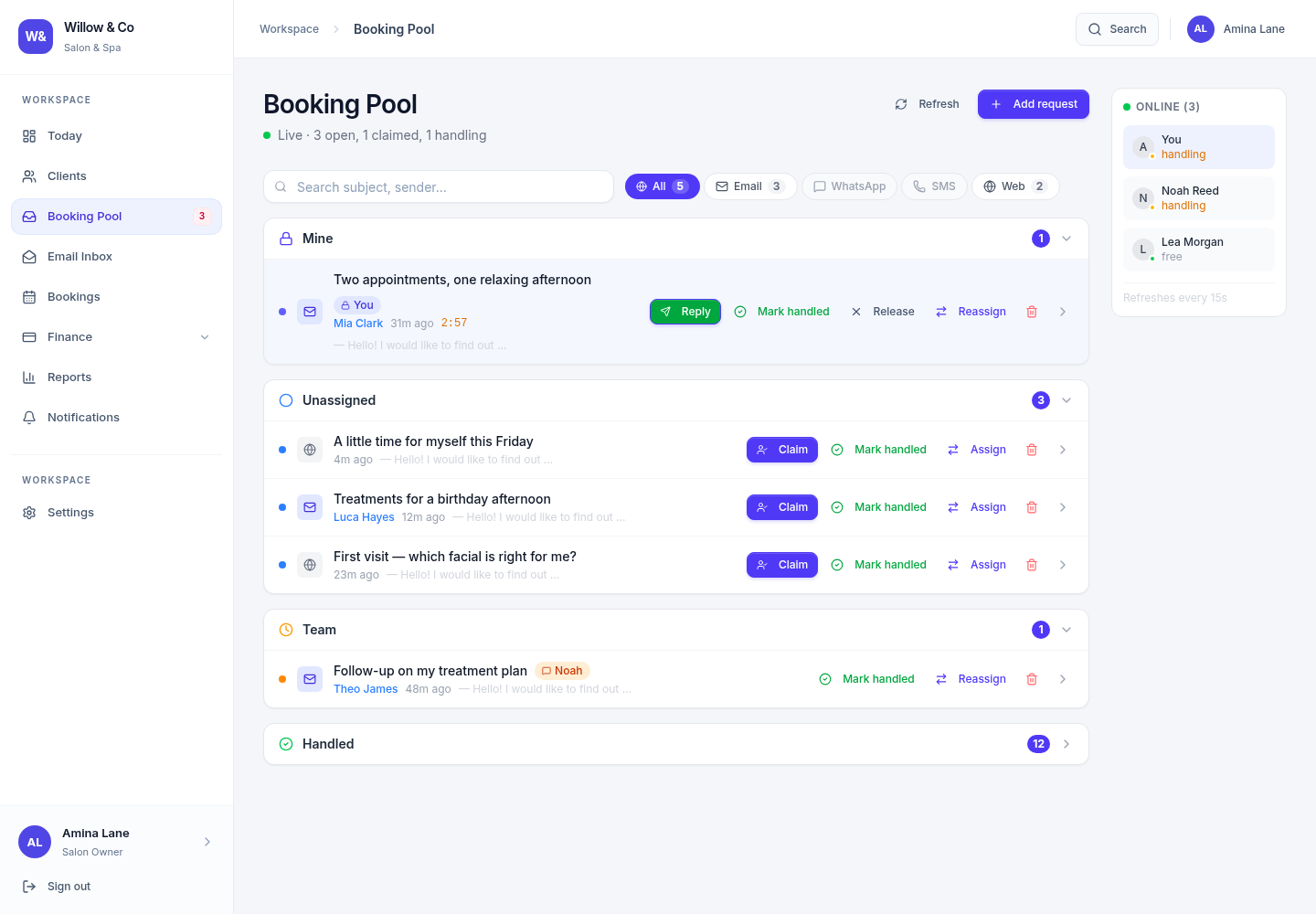
Claim or assign where permitted. Your team sees ownership on the enquiries they can access.
Stay with the conversation
Read the thread, respond, and mark it handled when the work is done.
A place for every conversation.
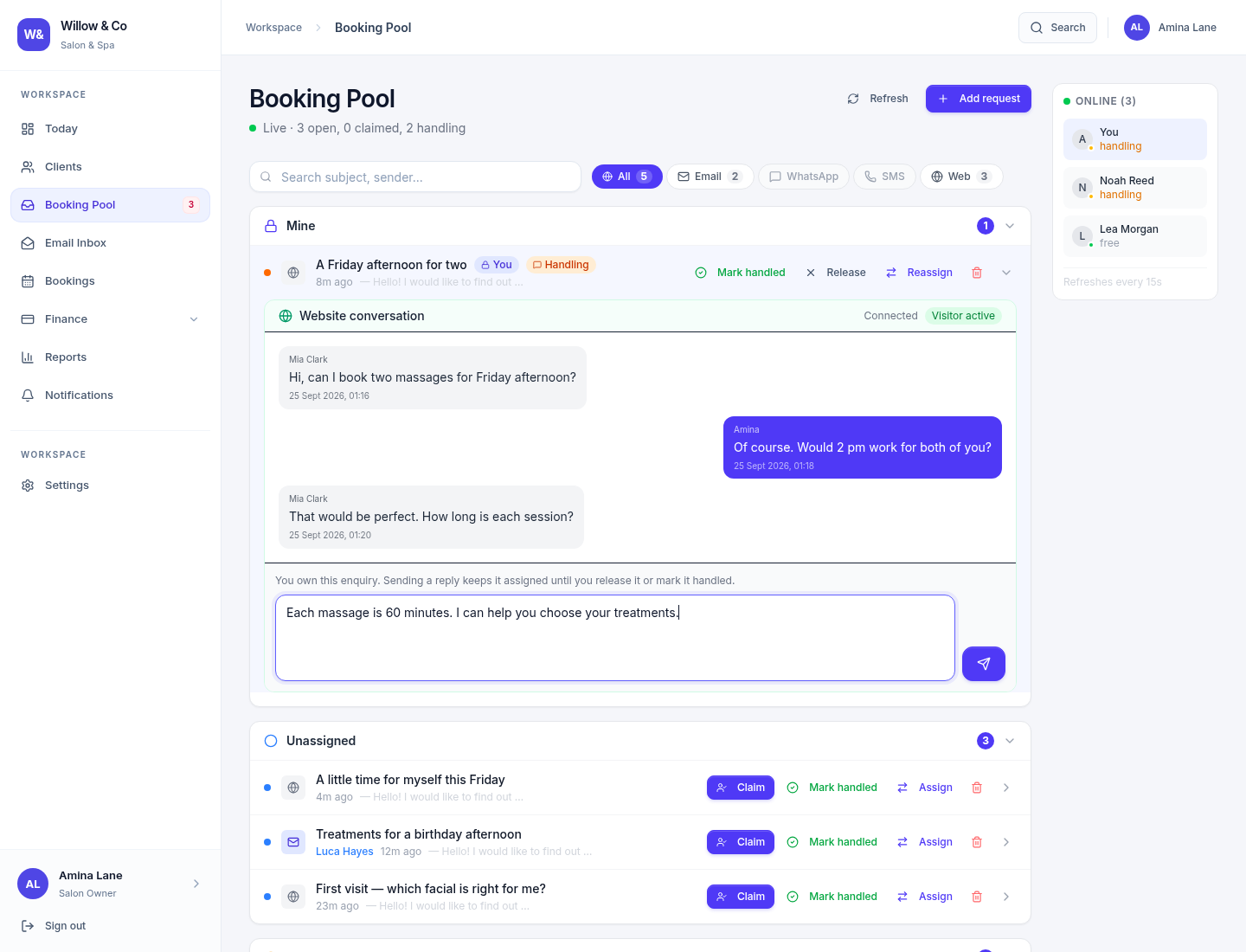
See what’s unassigned, what’s yours and what your team is handling. Open an enquiry to read the thread, then take the next action your role allows.
Know what needs your attention.
See your work, open enquiries and team activity from one starting point. Your dashboard follows your business’s services and your role.
Make the workspace your own.
Bring your branding, website chat and connected services together. Manage the settings your role allows, in clearly organised sections.
Actual Gatherdesk screens with fictional demonstration data. Open an image to explore it in full size.
02AI, with a human touch
Let AI help.
Keep people in charge.
Answer website questions with your configured business information. When the conversation needs a person, your team can take ownership and carry it forward.
Human ownership pauses automatic AI replies.
On your website
Website conversation
Your brand. Your team.
Lina · Visitor
Hi! I’m interested in your services. Can someone help me choose?
AI assistant
Happy to help. A member of the team can confirm the details. What are you looking for?
Ready for the human touch
The enquiry is in your team’s pool, ready to be claimed.
Inside your workspace
A warm welcome.
A human when it matters.
A visitor starts the conversation
Their website chat enters the shared pool.
Your assistant helps them get started
Replies draw on the business information you provide.
A team member claims the enquiry
One owner continues with the conversation in view.
Automatic replies step aside
AI pauses while your team member owns the enquiry.
The conversation stays with the enquiry.
Example shows an unclaimed website enquiry with an initial AI reply.
A first draft. Your final word.
Generate a contextual email reply, edit it and send when you’re ready. AI drafts never send themselves.
Less staring at a blank page.
Get help drafting notes for a work stage from its existing details, using the language of your business.
A helpful first conversation.
Enable an assistant for visitor questions. Your staff can claim the enquiry and continue the conversation.
AI is optional. Select OpenAI or Claude and configure your own API key. Availability depends on enabled services; provider usage is billed separately. Website auto-replies require their own activation.
Explore AI setup03Familiar from the first day
Same shared foundation.
Your kind of business.
Bookings for a salon. Jobs for a trades team. Treatment plans for a dental practice. Your workspace uses the words and work structures that make sense to you.
Your business.
Your way of working.
Organise bookings, look after your clients, and handle new enquiries in the same shared workspace.
- Your work
- Bookings
- Your people
- Clients
An afternoon to recharge
Appointments and services
Illustrative record with fictional details.
Services depend on your business type, plan and permissions. Explore the guide for the workflows available in each industry.
A workspace you can make your own.
A database for your business
Your business records live in a separate workspace database.
The right access for each role
Server-side permissions control protected actions and the records your team can access.
Your integrations, configured by you
AI keys and mailbox credentials are encrypted in storage. Turn on the services your team needs.
A good start, all written down.
Practical setup guides, real product screenshots and a handbook to share with your team. Get comfortable before your first enquiry arrives.
04A little more clarity
Good questions.
Clear answers.
The essentials, before you make your next move.
What is the Booking Pool?
It is a shared queue for incoming enquiries. Your team can see unassigned requests, claim work, assign it where permitted and follow the conversation through to handled. Its name follows your business: you may see Booking Pool, Enquiry Pool or another industry-specific label.
Can a person take over from the website AI?
Yes. Website conversations join the same enquiry workflow as other requests. When an authorised staff member owns the enquiry, automatic AI replies pause. The owner can read the conversation and reply. Other team members with access can see who is handling it. Assignment and takeover are controlled by permissions.
What does AI help with inside the workspace?
With AI enabled and a provider configured, staff can generate editable email reply drafts and notes for work stages. Website chat can also answer from your configured business information when automatic replies are enabled. Staff email drafts are reviewed and sent by a person; AI does not independently confirm bookings, prices or availability.
Can I choose the AI provider?
A permitted administrator can select OpenAI or Claude and add the corresponding API key. AI is optional, and provider usage is separate from your Gatherdesk plan. Enabling a provider does not automatically turn on website-chat replies.
Which channels can I connect?
Connect an IMAP/SMTP email account, install the website chat widget and configure WhatsApp through your Meta Business account. Availability depends on your plan and channel setup. Phone calls, SMS and social DMs are not native inbox channels today.
Will it fit my type of business?
Gatherdesk has ten business profiles covering terminology, relevant services and team roles. A salon works with bookings and clients; a trades business with jobs and customers. Choose your business type when the workspace is created—it cannot be changed later. The guides explain what each profile covers.
What happens when I request a demo or trial?
A short form asks about your business, team and contact details. Your request goes to the Gatherdesk team for follow-up. It does not charge you, reserve a meeting time or automatically create a workspace. Existing team members sign in at their business’s own workspace address.
Good service is a team effort.
Give yours a place to gather.
Let’s explore what a shared pool, helpful AI and a workspace shaped around your business could do for your team.
Gatherdesk for Android · Preview available
Your conversations.
Ready to go with you.
Bring your Booking Pool and shared inbox to your Android phone. The same Gatherdesk account, the same team and the conversations you already know. An iPhone edition is on the way.
Find release updates and downloads on our dedicated app page.
Studio & team
Your workspace
Booking Pool
Every conversation. One place.
Alex Morgan
A quick question
That sounds perfect. What’s next?
Jordan Lee
Let’s confirm the details
Thanks for getting back to me.
Sam Taylor
Web chat
Here to help
Can I speak to someone from your team?